By the end of this session, you can…
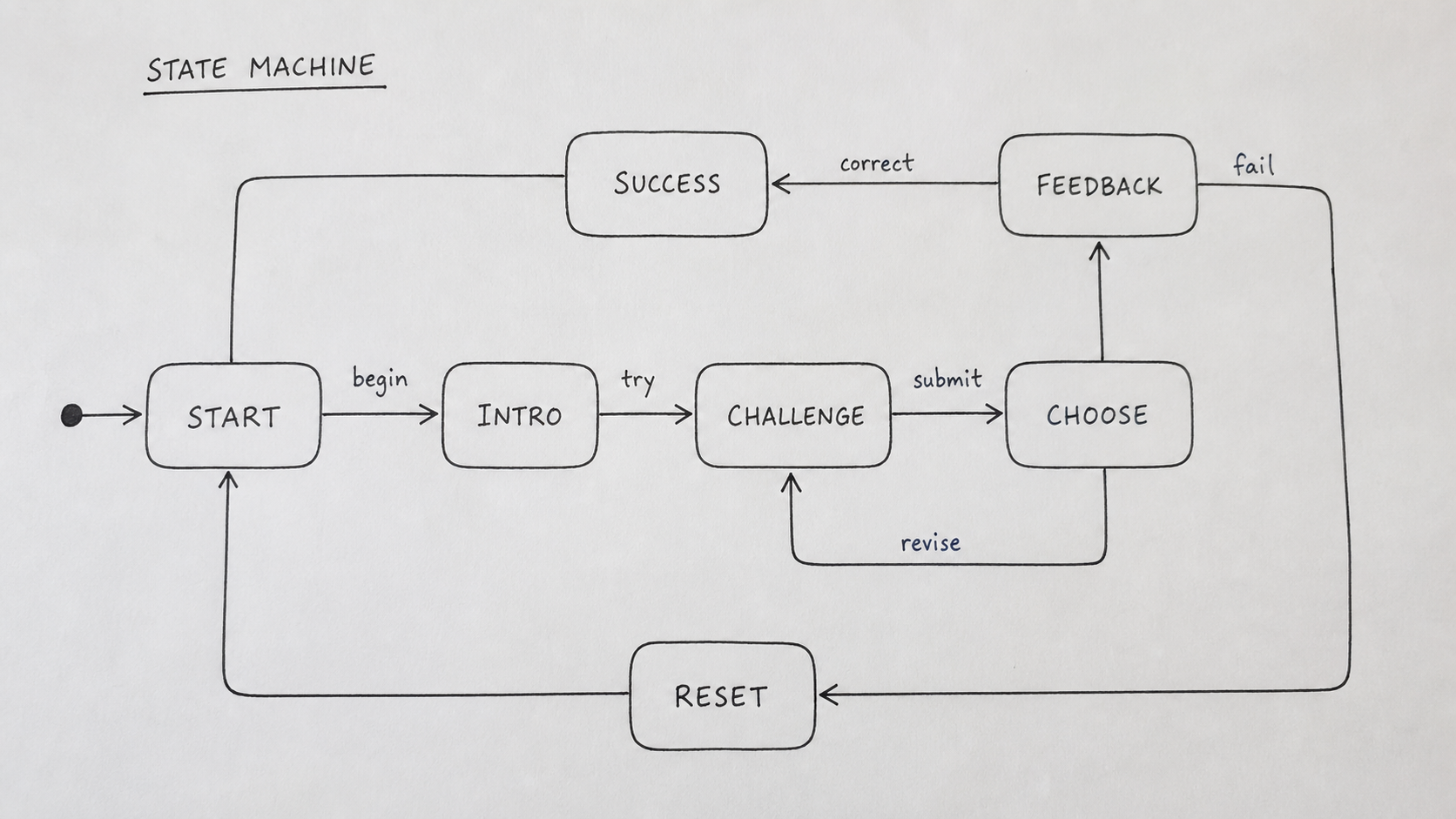
- LO 8.1Draw the game's loop as an explicit state machine with entry, exit, and transition conditions.
- LO 8.2Author an event → feedback map that a developer can wire without interpreting your intent.
- LO 8.3Identify the single scene where 3D matters and spec its Three.js bridge: scene graph, camera, input.
- LO 8.4Say no to 3D in the scenes where it adds nothing — explicitly, in the spec.
Your loop, formalized
A state machine is the contract between you and a developer. States are nouns the player can be in; transitions are events that move them between. If two designers can read your state machine and end up with the same mental model of your loop, you did it right.
| Element | What it specifies | Common error |
|---|---|---|
| State | A situation the player can be in; names are nouns or gerunds. | Verbs as states ("click button") — those are transitions. |
| Entry condition | What must be true to enter this state. | Entry conditions that are not checkable from game state alone. |
| Transition | Event + guard that moves the player to another state. | Unguarded transitions — "always go here" is rarely what you meant. |
| Exit | What the state leaves behind (score, flags, world changes). | Exits that mutate state silently; downstream bugs guaranteed. |
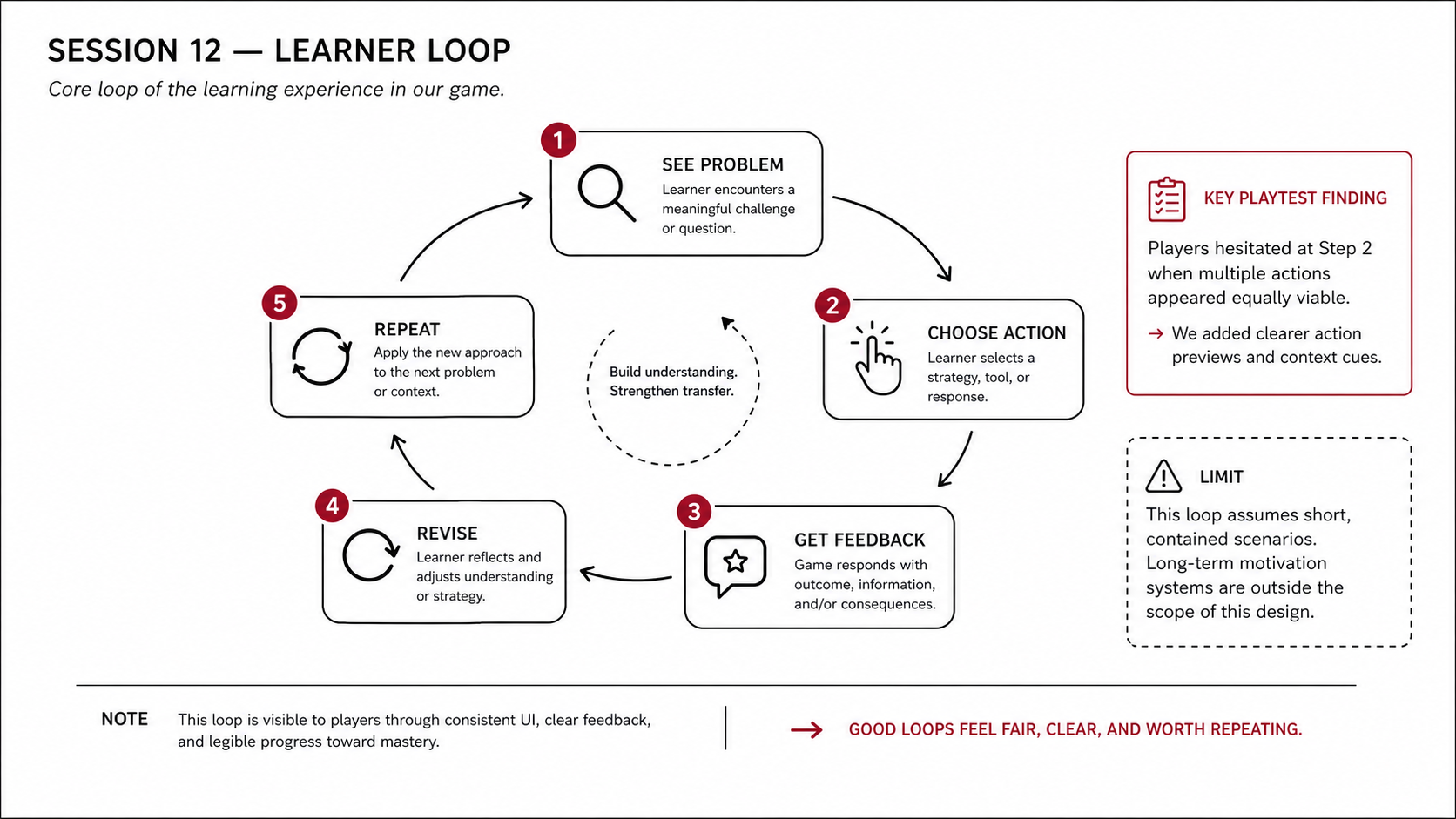
A good learning-game loop fits on a single sheet of paper. If yours sprawls, split into nested machines — one per scene. Do not accept a wall of boxes as a sign of thoroughness.
Same spec discipline, different kinds of play
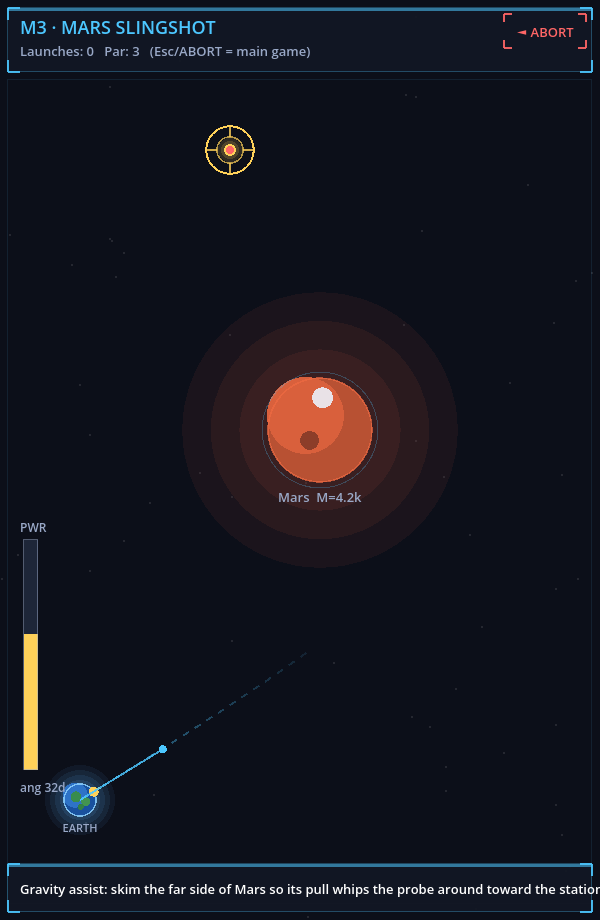
| Spec field | Space Invaders: Physics Lab | Chalk & Chance |
|---|---|---|
| Entry condition | Physics mode active; target and gravity wells spawned. | Scenario loaded; student misconception and classroom attention state initialized. |
| Player action | Set aim/power and fire one shot. | Select or compose a teaching move under time and attention constraints. |
| Feedback event | Curved path, hit/miss, gravity-assist telemetry, retry. | Student response, attention shift, competency signal, coached debrief. |
| State mutation | Shot log, wave state, target progress. | Student trust/reasoning state, classroom disruption, badge progress. |
Beginner prompt · build one playable slice
Use for first implementationYou are helping me build only one playable educational-game slice. I am a beginner, so keep the architecture simple and explain what files you change.
Prototype slice:
[Example: a gravity-shot scene where the player sets angle and power, fires once, sees the curved path, and retries]
Learning objective:
[paste one D2 objective]
States:
1. Setup
2. Player chooses action
3. System shows feedback
4. Player retries or advances
Build requirements:
- Use placeholder shapes and text labels.
- Implement only this loop.
- Add visible feedback for success and failure.
- Log one event for each attempt with the fields I will need for playtesting.
- Do not add levels, menus, scoring economies, accounts, or polished art.
After coding, give me:
1. How to run it
2. What to click or type to test it
3. What is intentionally out of scope
The line-item every developer will thank you for
In prose, feedback design is ambiguous. In a table, it is implementation. One row per event the player can trigger; one column per feedback channel. Every cell is either specified or marked "none."
| Event | Visual | Audio | Text / UI | World state |
|---|---|---|---|---|
| Correct-discrimination pick | Card glows crimson 180ms; settles to dark. | none (context rule) | Score tick; no label. | Card exits deck; next drawn. |
| Incorrect-discrimination pick | Card flashes gray 90ms. | none | Toast: "reason?" — awaits input. | Card stays; requires retry or skip. |
| Time expires | Timer bar fades to 10% opacity. | Soft tone at 500ms in (not immediate). | Scene label: "time." | Current choice auto-locked; scene exits. |
| Pager interrupt | Screen dims 40%; page modal. | Single page beep. | Modal with triage prompt. | Main timer pauses; pager branch enters its own state. |
Writing "none" in a cell is different from leaving it blank. Leaving it blank invites the developer to invent feedback you did not ask for. Writing "none" says: intentionally silent.
One hero scene, spelled out
Most of your game is 2D UI. Pick the one scene where 3D does work a flat view cannot — a spatial judgment, an embodied interaction, a camera move that teaches. Spec that scene in enough detail that your developer can scaffold it in a day.
| Section | Contents |
|---|---|
| Scene purpose | One sentence: what objective this 3D scene teaches that a 2D view cannot. |
| Scene graph | Root + children; named nodes; which are interactive; which are decorative. |
| Camera | Perspective or orthographic; framing; permitted user moves; locked axes. |
| Input | Pointer? Drag? Hotkeys? Accessibility fallbacks. |
| Entry & exit | What state triggers the 3D scene; what state follows; data carried through. |
| Assets | Models, textures, lighting — with polygon & texture budgets. |
| Perf budget | Target FPS, device floor, fallback to 2D rendering if floor fails. |
Every other scene is 2D. Write that down. Explicit 2D is a cost saver; implicit 2D is a scope battle you will lose in week 10.
From spec to runnable scaffold in one pass
The gap between "I finished my design spec" and "a developer can start coding" is about 400 lines of boilerplate: the scene graph, the state-machine runtime, the event bus, the save/load stub. Codex bridges that gap in one session. You remain the designer of record — but you hand off something that runs on day one, not day fourteen.
Use case · Scaffold a Three.js hero scene from your spec
One-shot; 200-400 LoC outputYour Three.js bridge document (section 04) already lists camera, lights, assets, and interaction hitboxes. That document is a prompt. Paste it into Codex with a request for a runnable scaffold.
Build a single-file Three.js scene from the spec below. Use
a current Three.js release (r160+) via ESM CDN; no build step. Requirements:

Scene
- Camera: perspective, 50° fov, positioned per spec's camera brief.
- Lights: one hemisphere (sky→ground) + one directional with shadow.
- Ground: plane, 20x20, receives shadow.
- Placeholder geometry for each named asset in the spec; use named
  meshes (mesh.name = "monitor", "chart", "door", etc.) so we can
  target them by name later.

Interaction
- Raycaster on click. Emit a CustomEvent on window with type
  "game:interact" and detail { meshName, worldPoint }.
- No game logic in this file — the scene only emits events.

Devex
- Export a single init(container) function.
- Log every emitted event to console with timestamp.
- If a mesh name isn't recognized, log "unmapped:" + name, do not throw.

[PASTE THREE.JS BRIDGE DOC FROM SPEC]
It knows the Three.js API better than you. It does not know your game. Brief it the way you would brief a junior — constraints first, then tasks, then "do not" lines. The "do not" lines are what make the output editable instead of opaque.
Use it when
Your bridge doc is complete and locked. You want to hand a developer (or yourself, next week) a running scene with your named assets so game-logic work can start Monday.
Don't use it when
Your scene composition is still in flux. Re-scaffolding costs Codex nothing, but it costs you the context you were building in your head; pin the composition first.
Use case · Generate the state-machine runtime from your transitions table
Pure JS; no frameworkYour state machine (section 02) is a table: states, events, transitions, guards. Codex translates that table into a runtime in one pass. Ask for plain JS, no dependencies; that way you or your developer can read the whole thing before running it.
Generate a minimal state-machine runtime in plain JS (no XState, no
dependencies). API:

  const sm = createMachine({
    initial: "triage",
    states: {
      triage: { on: { SUBMIT: "feedback" } },
      feedback: { on: { NEXT: "triage", END_SHIFT: "debrief" } },
      debrief: { on: { RETRY: "triage" } },
    },
    guards: { /* optional named fns returning boolean */ },
  });

  sm.send("SUBMIT");          // transitions if allowed
  sm.state                    // current state name
  sm.onTransition(fn)         // fn({ from, to, event })
  sm.can("SUBMIT")            // boolean

Requirements:
- ~80 lines, readable, no cleverness.
- Throws if sent an event not defined on current state (opt-out flag
  allowMissing: true).
- Ships with unit tests (10+ cases) using plain console.assert.

Generate my game's machine as a second file, populated from this
transitions table:

[PASTE TRANSITIONS TABLE]
Use case · Lint your event→feedback map for missing coverage
Static auditA common failure in an event map is forgotten cells — events that never emit a response, or response types that appear in one event's row but not in a parallel event's row. Codex can read your table and list gaps before a developer does.
Here is my event→feedback map as a markdown table. Audit it and
output:

1. Events with no response at all.
2. Events whose "response kind" column uses a kind that doesn't
   appear in the legend of my S4 taxonomy.
3. Events that emit consequence feedback but don't specify what
   world state changes.
4. Pairs of events that look parallel but whose response schemas
   differ (e.g., one logs to telemetry, the sibling doesn't).

Don't propose fixes. Just list the gaps so I can decide each.
Turn the interaction spec into a runnable, reviewable game slice.
The goal is not to outsource the design to Gemini. Use Google AI Studio Build mode as a fast implementation surface: give it the bounded state machine, inspect the live preview, change the parts that are wrong, and keep the evidence that makes your reasoning reviewable.
Start from your D2/D3 crosswalk. Ask for one learner decision, one feedback state, one revision path, and a visible event trace. Test the preview with keyboard and pointer. Then save the public preview or exported GitHub URL, two or three stills, a short recording, your playtest notes, and the AI provenance log. The portfolio page is where these become instructor-review evidence.
Open Google AI Studio Build mode ↗ · Open the concrete prompt and integration playbook ↗ · Open the TeachPlay portfolio ↗
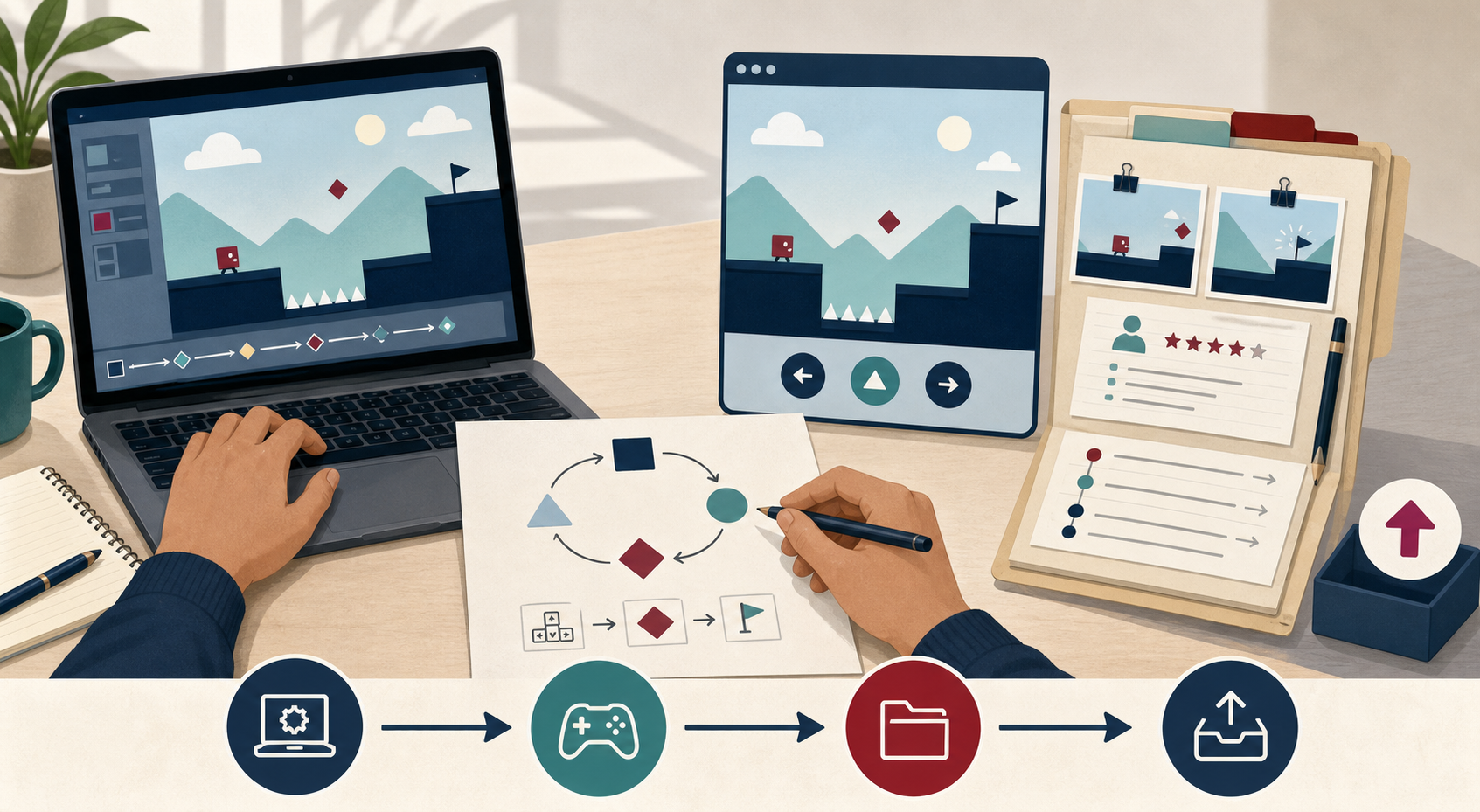
A generated visual for the build bridge: the playable artifact stays connected to the learning loop and the evidence packet.
Build a five-minute educational game prototype from this interaction spec.
Keep the learner's target decision, the feedback state, the invalid-action path,
and the event trace visible. Use minimal assets. Do not invent learner results,
playtest findings, or claims of learning. Return a runnable preview and list the
files changed so I can inspect and revise them.
Draft the spec
| Time | Activity | Facilitator cue |
|---|---|---|
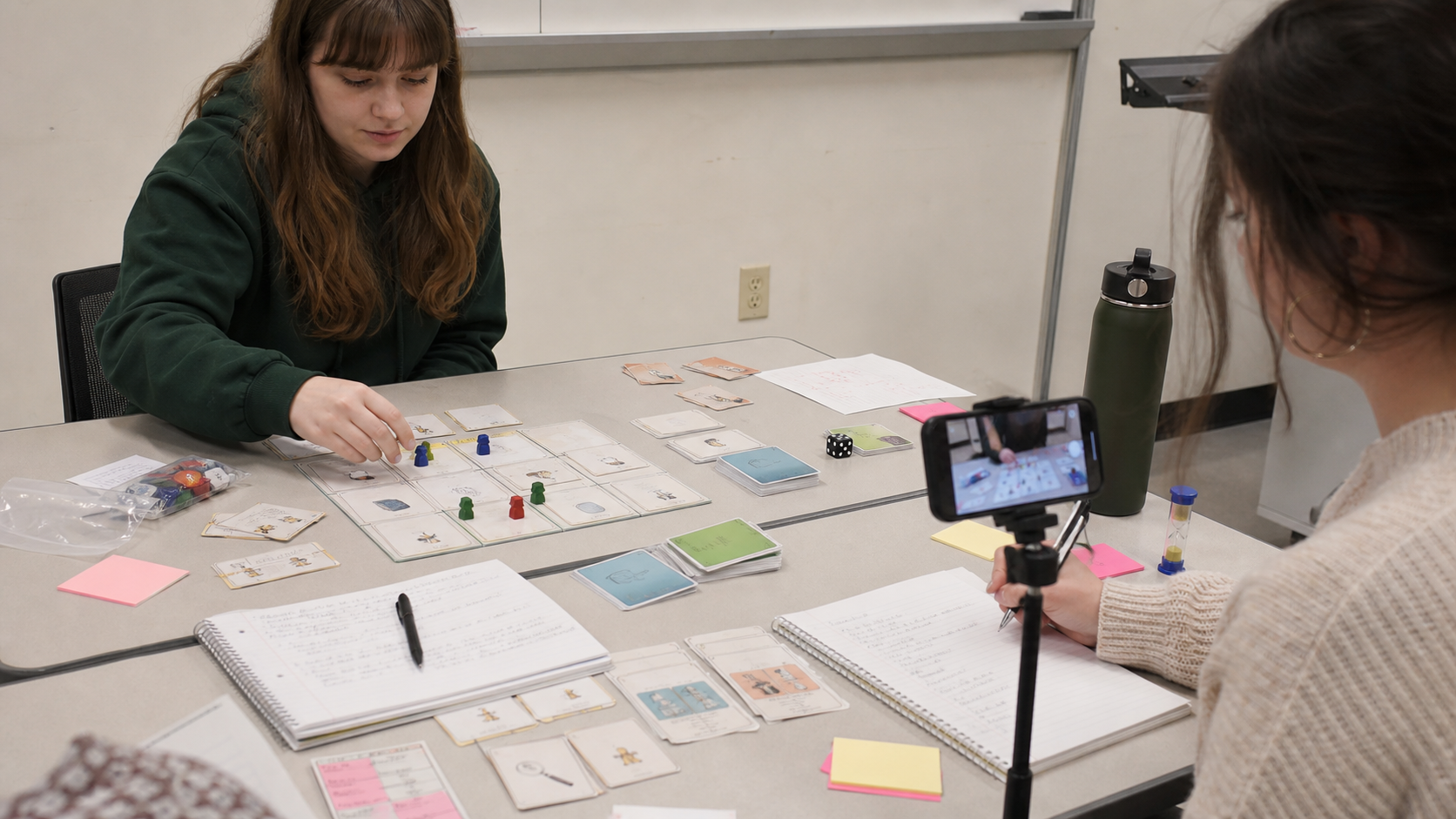
| 00:00–30:00 | Draft state machine on paper; photograph for the repo. | "One page. If you need more, nest." |
| 30:00–60:00 | Draft event→feedback table. Fill every cell. | "No blanks. Write 'none' where you mean it." |
| 60:00–80:00 | Identify the hero 3D scene; outline the bridge section. | "One scene. If everything is 3D, none of it is." |
| 80:00–90:00 | Pair review; one peer marks the most underspecified row. | "Underspecified rows are next week's bugs." |
Before next week
Three bridges from spec to build
You have a state machine and an event-feedback map. The jump to implementation is where most prototypes die. These three handouts cover the conceptual vocabulary (Three.js), the workflow (Codex), and the legal hygiene (asset licensing) — read the ones that match your team's next move.
Three.js Foundations Learning Pack
Scene, camera, renderer, mesh, light, animation loop, raycaster — with a minimum conceptual model and an instructional lens on when 3D actually earns its place in an educational game.
Why this week Read before you write any Three.js code. If you cannot justify why 3D helps the learner think, inspect, or decide, the handout will save you a week of implementation.
Codex-To-Three.js Build Playbook
A disciplined workflow for using Codex to move from design docs into a bounded Three.js prototype slice: how to write build briefs, how to structure task packets, how to keep debugging evidence visible, how to decide what to build now vs. later.
Why this week Use this when your team is ready to implement. Bring a Codex build brief written from the playbook to the S11 revision studio.
Asset Licensing and Attribution Pack
Licensing, attribution, reuse decisions, and asset tracking for images, audio, video, and 3D models. Five core principles, a decision flow, and the record-keeping that student teams routinely forget until the week of the final.
Why this week Before you pull your first texture, font, or sound asset, commit to how your team will track source and license. Retrofit is twice the work.
Electric Circuit Lab
A working Three.js hero scene: scene graph, camera, raycast-driven interaction, and an event bus wired to a 2D UI panel. Inspect it as the reference implementation for your own bridge spec.
Why this week Play it, then open the source. Map your spec's state machine and event→feedback table onto what this lab actually does — that is the shape your Codex scaffold should produce.
Before you move on…
Four questions on this session's concepts. Choices lock on first click — formative only.